YAML to Markdown: Complete Guide, OpenAPI & CLI Tools
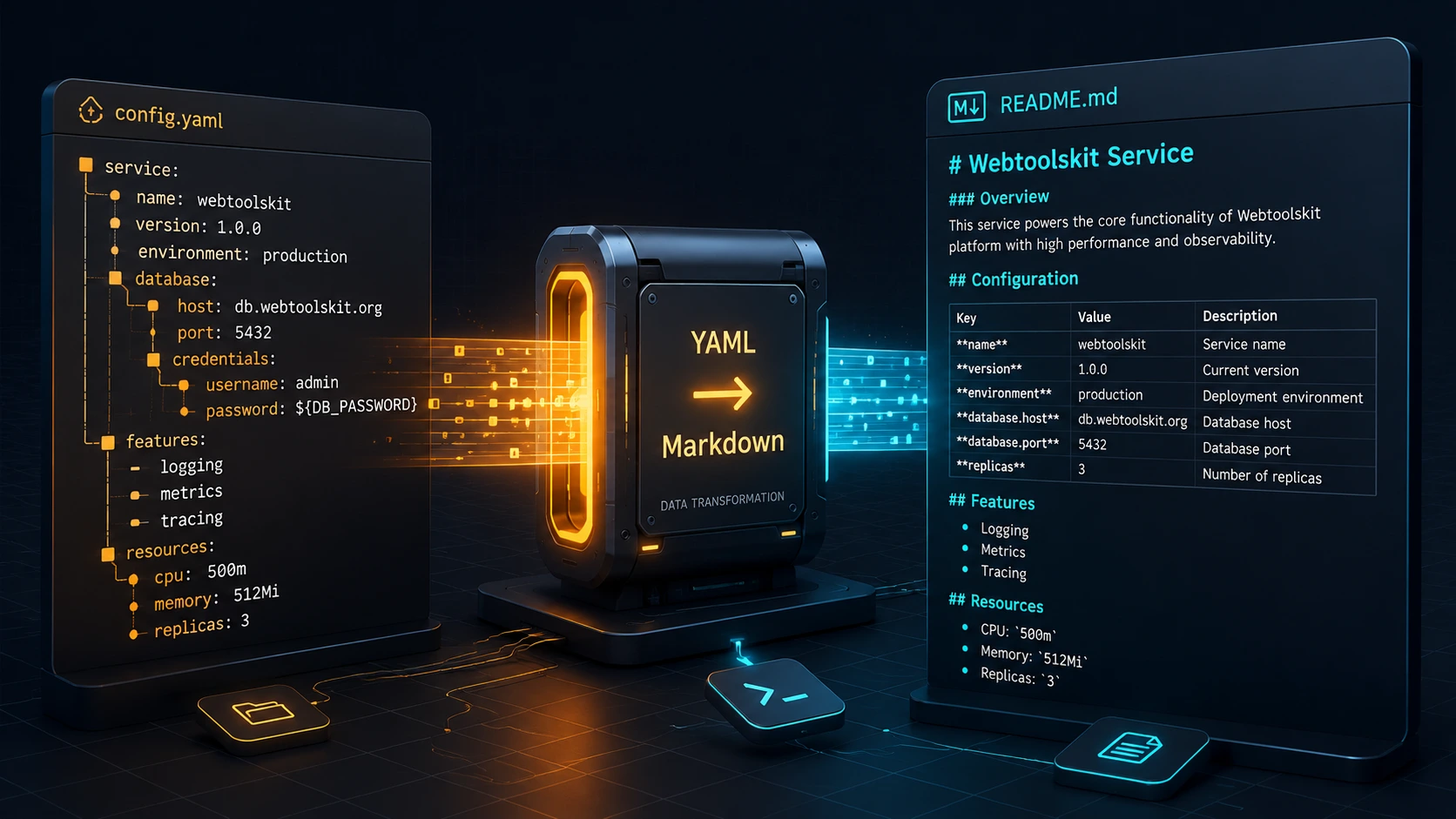
In short: converting YAML to Markdown means turning a data file — a Kubernetes manifest, an OpenAPI spec, a config, a blog post's frontmatter — into readable, shareable text. You can do it in a browser with no install, with a Python script, with the CLI tool
yq, or with a dedicated generator if the YAML happens to be an OpenAPI/Swagger definition.
Every one of those four paths produces a .md file at the end. They don't produce the same file, though, and picking the wrong one is how teams end up with either a broken table or a leaked secret. Let's sort out which method fits which job.
Why does this come up so often in the first place? YAML is readable enough for a human to skim, but it isn't the format most people actually want to read — Markdown is. A Helm values file, a docker-compose.yml, or an OpenAPI spec all hold information a teammate might need without wanting to open a code editor for it. Converting to Markdown turns "here's a config file" into "here's a page you can scroll through in a wiki or a pull request description."
Comparing Your Options at a Glance
| Method | Nested Data Handling | OpenAPI Support | Setup Overhead | Privacy | Best For |
|---|---|---|---|---|---|
| Browser tool | Full (recursive, in-browser) | Basic (renders structure, not endpoint docs) | None | 100% local, nothing leaves the device | One-off conversions, Kubernetes/CI configs, secrets |
swagger-markdown / dedicated OpenAPI tools |
Schema-aware | Purpose-built | npm install -g |
Runs locally, no upload required | API reference docs |
Python (PyYAML) |
Full, fully customizable | Manual (you write the mapping) | Python environment | Local | Pipelines, custom formatting rules |
CLI (yq) |
Full, via path expressions | None built-in | Single binary | Local | CI/CD, scripting, repeatable automation |
Notice the pattern: three of the four run entirely on your machine. That matters more than it sounds like it should — keep reading and you'll see why.
Method 1: Instant Browser-Based Conversion
The fastest path is also the one most people don't trust until they check it themselves, which is a reasonable instinct. MD Convert's browser-based YAML converter parses your file with js-yaml running inside an isolated Web Worker, entirely inside your browser tab.
Here's what that means in practice. When you drop a file onto the page, the browser's FileReader API reads it into memory — it never gets attached to an HTTP request, because there's no server call to make. The Web Worker parses the YAML, walks the resulting object tree, and renders Markdown, all without a network round trip.
You don't have to take our word for it. Open your browser's DevTools (F12), switch to the Network tab, and run a conversion. You'll see zero outgoing requests carrying your file content. That's the whole test — no server logs to trust, because there's no server involved in the conversion step at all.
This is also the fastest way to handle files you'd rather not paste into a random web form: Kubernetes secrets, CI credentials, internal config that references real hostnames. If a YAML file would make you wince in a Slack screenshot, it's exactly the kind of file this method was built for.
# What you paste in
database:
  host: prod-db.internal
  password: correct-horse-battery-staple
<!-- What comes out -->
### database
- **host**: prod-db.internal
- **password**: correct-horse-battery-staple
Same structure, same values, zero exposure. For quick one-off jobs, this is usually the right call — and if you'd rather script the conversion, that's what Methods 3 and 4 are for.
Method 2: OpenAPI & Swagger YAML to Markdown
Turning an OpenAPI 3.0 or 3.1 spec into readable API documentation is a different problem than converting a generic YAML file. You don't just want the raw structure — you want endpoints grouped by tag, parameters in tables, and request/response bodies rendered so a human can skim them in thirty seconds.
The most actively maintained open-source tool for this is swagger-markdown, which supports Swagger 2.0 and OpenAPI 3.0.x/3.1.x, including webhooks for 3.1 specs:
npm install -g swagger-markdown
swagger-markdown -i openapi.yaml -o api-docs.md
That one command reads your OpenAPI specification file and writes out a Markdown document with endpoints, HTTP methods, and parameter tables already formatted. Running it against a typical spec produces something like this for a single endpoint:
### GET /users/{id}

Retrieve a single user by ID.

**Parameters**

| Name | Located in | Type | Required |
|---|---|---|---|
| id | path | integer | Yes |

**Responses**

| Code | Description |
|---|---|
| 200 | User found |
| 404 | User not found |
A few alternatives worth knowing about, depending on your stack: widdershins produces Slate-compatible Markdown and handles AsyncAPI as well as OpenAPI, oas2md is a Go binary aimed at Hugo sites, and open-api-schemas-to-markdown (Python) focuses specifically on rendering component schemas as tables. If your spec lives at a public URL rather than a local file, our URL-to-Markdown converter can pull it down first.
For quick internal checks — "does this spec even parse, and what's actually in it" — you can still run the raw YAML through the client-side conversion utility before reaching for a dedicated generator. It won't produce endpoint tables, but it's a fast way to eyeball a spec's structure before committing to a full documentation build.
Method 3: Programmatic Python Pipelines
Browser tools and CLI generators cover the common cases. When you need custom formatting rules — different heading levels, a specific table layout, or integration into a larger documentation build — you write the conversion yourself. PyYAML is the standard choice.
import sys
from pathlib import Path
import yaml


def load_yaml(path):
    """Load a YAML file safely, raising a clear error on unsupported tags."""
    with open(path, "r", encoding="utf-8") as f:
        try:
            return yaml.safe_load(f)
        except yaml.YAMLError as exc:
            raise ValueError(f"Could not parse {path}: {exc}") from exc


def is_table_ready(rows):
    """A list of dicts sharing the same keys can become a GFM table."""
    if not rows or not all(isinstance(r, dict) for r in rows):
        return False
    keys = set(rows[0].keys())
    return all(set(r.keys()) == keys for r in rows)


def rows_to_table(rows):
    keys = list(rows[0].keys())
    header = "| " + " | ".join(keys) + " |"
    divider = "| " + " | ".join(["---"] * len(keys)) + " |"
    body = [
        "| " + " | ".join(str(row.get(k, "")) for k in keys) + " |"
        for row in rows
    ]
    return "\n".join([header, divider] + body)


def to_markdown(data, depth=1):
    blocks = []
    if isinstance(data, dict):
        for key, value in data.items():
            blocks.append(f"{'#' * min(depth + 1, 6)} {key}")
            blocks.append(to_markdown(value, depth + 1))
    elif isinstance(data, list):
        blocks.append(
            rows_to_table(data)
            if is_table_ready(data)
            else "\n".join(f"- {item}" for item in data)
        )
    else:
        blocks.append(str(data))
    return "\n\n".join(blocks)


if __name__ == "__main__":
    source = Path(sys.argv[1])
    markdown = to_markdown(load_yaml(source))
    Path(source.stem + ".md").write_text(markdown, encoding="utf-8")
    print(f"Wrote {source.stem}.md")
Two things worth explaining, because they trip people up. First, yaml.safe_load — never plain yaml.load — refuses to execute arbitrary Python objects that a malicious YAML file could otherwise construct. Second, anchors and aliases (&base / *base) are resolved by the parser before your code ever sees the data; by the time load_yaml returns, there's no trace of the alias left, just the expanded values. You don't need to write any special-case handling for them at all.
If your YAML and JSON files describe the same kind of data — which is common, since YAML is a superset of JSON's data model — the same to_markdown function works unmodified on output from json.load(). Our JSON-to-Markdown converter uses the same recursive approach if you'd rather skip writing the script yourself.
Method 4: CLI Automation with yq
For CI/CD pipelines, installing a Python environment just to extract three fields from a YAML file is overkill. yq — the Go-based version, not the older Python wrapper of the same name — is a single static binary built for exactly this.
# List every container image in a Kubernetes deployment as a Markdown list
yq eval '.spec.template.spec.containers[].image' deployment.yaml \
  | sed 's/^/- /' > images.md

# Turn a GitHub Actions workflow's job names into a checklist
yq eval '.jobs | keys | .[]' .github/workflows/ci.yml \
  | sed 's/^/- [ ] /' > ci-jobs.md

# Drop an entire Helm values file into a fenced code block for docs
{ echo '```yaml'; yq eval '.' values.yaml; echo '```'; } > values-snippet.md
Drop any of these into a build step and you've got documentation that regenerates every time the underlying config changes, instead of a README that quietly drifts out of date six months later:
- name: Generate config reference
  run: yq eval '.' values.yaml > docs/values.snippet.md
No runtime to install, no dependencies to pin — just a binary that's already sitting in most CI images.
Handling Complex YAML Edge Cases
This is where a naive, text-based converter falls apart and a real parser earns its keep. None of what follows is a converter-specific quirk — anchors, block scalars, and multi-document streams are all defined in the YAML 1.2 specification itself, so any tool that gets them wrong is deviating from the spec, not interpreting it differently. Take this file:
defaults: &defaults
  timeout: 30
  retries: 3

services:
  auth:
    <<: *defaults
    port: 8080
  billing:
    <<: *defaults
    port: 8081
    retries: 5

readme: |
  This literal block
  keeps its line breaks
  exactly as written.

summary: >
  This folded block
  collapses line breaks
  into a single paragraph.
A line-by-line converter — think a regex script that just looks for key: value — would print <<: *defaults as literal text and leave you to figure out what it means. A real YAML parser resolves the anchor and merge key first, so billing correctly inherits timeout: 30 from &defaults while overriding retries to 5:
### services
#### billing
| Field | Value |
|---|---|
| timeout | 30 |
| retries | 5 |
| port | 8081 |
The two block-scalar styles matter just as much. | (literal) preserves every line break exactly as written — useful for embedding a shell script or a log excerpt. > (folded) joins lines into a single flowing paragraph, wrapping only at blank lines. Mix them up in your converter and multi-line examples either get mangled into one run-on sentence or split apart wrong.
Multi-document streams — files with more than one document separated by --- — need to be split before conversion, not merged. Both PyYAML (yaml.safe_load_all()) and js-yaml handle this natively; a converter that ignores the separator will blend two unrelated documents into one confusing tree.
Comments don't survive standard parsing. yaml.safe_load and js-yaml build a data model, and comments simply aren't part of that model — they're gone the moment the file is parsed, in any tool built on the standard libraries, including our browser-based YAML converter. If comment preservation matters for your use case, you need a round-trip-aware library such as Python's ruamel.yaml, which is a different (and slower) tool for a different job.
Part of the MD Convert Ecosystem
YAML is one of sixteen formats MD Convert handles entirely client-side — the same Web Worker approach covers PDF, DOCX, Excel, ODS, CSV, TSV, JSON, XML, HTML, XHTML, Jupyter notebooks (.ipynb), Evernote exports (.enex), RTF, TXT, and URL-to-Markdown conversion. If today's task started as "convert this YAML" and turns into "now I need to convert the JSON export next to it," you're covered without changing tools or trust models.
Frequently Asked Questions
How do I convert an OpenAPI YAML file to Markdown?
Install swagger-markdown (npm install -g swagger-markdown) and run swagger-markdown -i openapi.yaml -o api-docs.md. It's purpose-built for OpenAPI/Swagger and produces endpoint tables and parameter references, which a generic YAML converter won't generate on its own.
Does converting YAML to Markdown preserve comments?
No — not with standard tools. PyYAML's safe_load and js-yaml both discard comments during parsing, because comments aren't part of YAML's data model. If you need them kept, use a round-trip library like ruamel.yaml instead.
How are multi-document YAML streams handled?
Files with multiple documents separated by --- need to be parsed as a sequence, not a single object. Use yaml.safe_load_all() in Python or js-yaml's equivalent multi-document loader, and convert each document to its own Markdown section or file.
Is it safe to convert Kubernetes secrets or CI credentials online?
Only with a tool that processes files entirely in your browser, with no upload step — check this yourself in DevTools' Network tab before trusting any "online converter" with sensitive config. Tools that upload your file to a server for processing should be avoided for anything containing real credentials.
What happens to YAML anchors and aliases during conversion?
Nothing you need to manage manually. Any standards-compliant parser — PyYAML, js-yaml, yq — resolves &anchor and *alias references, including merge keys (<<), before your conversion code ever runs. By the time you're generating Markdown, you're working with fully expanded values.
Choosing the Right Method
If you're converting a single file and don't want to install anything, start with the browser-based converter — it's also the only option here that guarantees nothing leaves your machine. Reach for a dedicated tool like swagger-markdown the moment "YAML" specifically means "OpenAPI spec." Python earns its place when you need formatting no off-the-shelf tool provides, and yq is the right call the moment conversion needs to happen automatically, every time, in a pipeline you don't want to babysit.
None of these four methods is a universal answer, and that's fine — the point of a comparison, rather than a single recommendation, is that "best" depends on whether you're doing this once by hand or a thousand times a day in CI. Bookmark this page, and come back to the matrix the next time you're not sure which one applies.