XHTML to Markdown: EPUB, MathML & Strict XML
Quick answer: XHTML to Markdown conversion transforms XML-compliant markup (strict closing tags, an XML prolog, namespaces) into GitHub Flavored Markdown (GFM): headings become
#lines, lists become-items, tables become pipe tables, and namespace clutter disappears, leaving plain text that Git, Obsidian, and static site generators render directly.
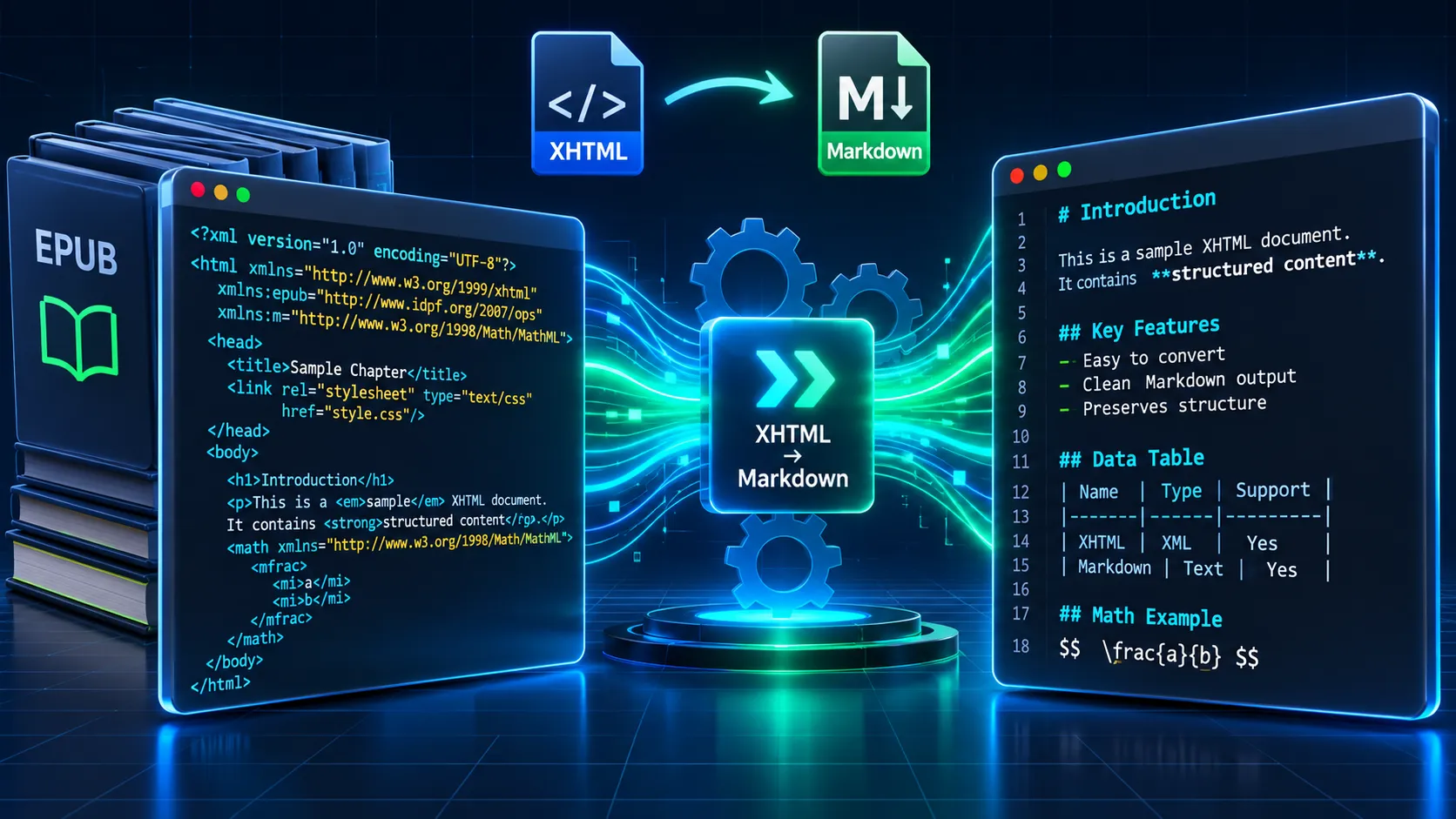
Pasting a single chapter? Use the free XHTML to Markdown converter for instant, zero-install processing in your browser. For whole EPUBs, equations, or CI pipelines, the workflows below cover what a browser tool can't.
Input (XHTML):
<?xml version="1.0" encoding="UTF-8"?>
<html xmlns="http://www.w3.org/1999/xhtml" xml:lang="en">
<head><title>Release Notes</title></head>
<body>
<h1>Release Notes</h1>
<p>Fixed the R&D export bug.<br />Upgrade is <strong>recommended</strong>.</p>
<ul><li>Faster parsing</li><li>Smaller bundles</li></ul>
</body>
</html>
Output (GFM):
# Release Notes
Fixed the R&D export bug.
Upgrade is recommended.
- Faster parsing
- Smaller bundles
In EPUB and XML publishing pipelines, the failures seen most often are entity errors, wrong chapter order, and equations lost in transit. This guide treats each one as an engineering problem.
2. XHTML vs HTML: Why XML Rules Change the Conversion
HTML5 parsers forgive almost anything. XML parsers forgive nothing. A converter that treats XHTML as "HTML with extra slashes" works on tidy files and breaks on the files publishers actually produce. For plain HTML sources, start with the HTML to Markdown guide.
XHTML Is XML: Namespaces, Case Sensitivity, and the XML Prolog
XHTML is served as application/xhtml+xml and parsed as XML, so every element carries a namespace. xmlns="http://www.w3.org/1999/xhtml" places <body> in the XHTML namespace, so a namespace-unaware query like //body returns nothing. EPUB chapters usually add xmlns:epub="http://www.idpf.org/2007/ops" for epub:type="footnote" semantics and xmlns:m="http://www.w3.org/1998/Math/MathML" for equations. The prefix is arbitrary. The URI is what matters.
Names are case-sensitive and lowercase (<P> is invalid). The prolog <?xml version="1.0" encoding="UTF-8"?> must be the first thing in the file, before any whitespace.
tree.xpath("//body")                                                  # [] (wrong)
tree.xpath("//x:body", namespaces={"x": "http://www.w3.org/1999/xhtml"})  # [<Element body>]
The XML Errors That Break Naive HTML-to-Markdown Pipelines
Strict parsers stop at the first defect. This fixture contains four:
<?xml version="1.0" encoding="UTF-8"?>
<html xmlns="http://www.w3.org/1999/xhtml">
<body>
<p>Total: $5<br></p>
<img src="fig1.png" alt="Figure 1">
<a href="/search?q=a&b=2">Search</a>
</body>
</html>
lxml.etree.XMLSyntaxError: Entity 'nbsp' not defined, line 4, column 18
- Undeclared entities: XML predefines only five:
&,<,>,",'. HTML names like and©come from DTDs that most parsers never load. Use or the literal U+00A0 character. - Unclosed void elements:
<br>and<img ...>must become<br />and<img ... />. - Bare ampersands: The
&bin the URL must be&b.
Strict XML Validation vs. Browser-Based Error Recovery
XML 1.0 requires a processor to halt on well-formedness errors. The HTML parsing specification does the opposite: it defines recovery for every possible input. Strict parsers give you a pass/fail signal, which is useful in CI. Browser-based tools give you output from broken files, which is useful for one-off chapters and scraped markup.
Recovery has its own traps. Self-closed non-void elements such as <script src="x.js"/> or <div/> are read by HTML parsers as opening tags and can swallow the rest of the document. A <![CDATA[...]]> section is treated as a comment and discarded. If you need guarantees, parse as XML first. If you need readable text fast, use the browser.
3. How to Convert XHTML to Markdown Online
To convert XHTML to Markdown online:
- Open the tool. Nothing needs installing.
- Paste your markup, or upload an
.xhtmlor.htmlchapter file. - Sanitization runs automatically. DOMPurify strips executable content, then Turndown converts the cleaned DOM to Markdown.
- Copy the result, or download it as a Markdown file.
To be precise about scope: md-convert.org executes client-side via JavaScript with DOMPurify and Turndown. It optimizes for clean, readable text, so it strips executable scripts, MathML, and raw SVG instead of translating them. That is the right default for documentation and prose, and the wrong one for equation-heavy chapters, which Section 5 handles.
| Preserved | Removed or simplified |
|---|---|
| Headings, lists, tables | XML namespace declarations and prefixes |
| Emphasis, links, readable text | Scripts |
| Paragraph structure | Raw SVG and MathML |
For clean-text workflows, the free XHTML to Markdown converter is the fastest path. For a whole book, use the tooling in Section 4.
4. EPUB XHTML to Markdown: Extract Chapters in Reading Order
Understand the EPUB Package Before Extracting XHTML
An EPUB is a ZIP archive. META-INF/container.xml points to the package document (usually content.opf). Its <manifest> lists every file, and its <spine> lists reading order as <itemref idref="..."> elements.
Never sort chapters by filename. ch10.xhtml sorts before ch2.xhtml, front matter lands wherever the alphabet puts it, and linear="no" items such as notes pages end up inline. The spine is the only authority.
import posixpath, zipfile
from urllib.parse import unquote
from lxml import etree

NS = {"c": "urn:oasis:names:tc:opendocument:xmlns:container",
      "o": "http://www.idpf.org/2007/opf"}

def spine_paths(epub_path):
    with zipfile.ZipFile(epub_path) as z:
        container = etree.fromstring(z.read("META-INF/container.xml"))
        opf_path = container.xpath("//c:rootfile/@full-path", namespaces=NS)[0]
        opf = etree.fromstring(z.read(opf_path))
        base = posixpath.dirname(opf_path)
        manifest = {i.get("id"): i.get("href")
                    for i in opf.xpath("//o:manifest/o:item", namespaces=NS)}
        return [posixpath.join(base, unquote(manifest[r.get("idref")]))
                for r in opf.xpath("//o:spine/o:itemref", namespaces=NS)]
Extract and Convert EPUB Chapters Without Losing Structure
For a complete book, Pandoc does the whole job:
pandoc -f epub -t gfm book.epub -o book.md --extract-media=./media
Pandoc's EPUB reader follows the spine, writes one GFM file, and extracts images so the references in book.md resolve. Add --wrap=none if the output feeds an embedding pipeline.
For per-chapter control, loop over spine_paths() and convert each file with the single-chapter methods in Section 6. Write 01-title.md, 02-title.md, and so on. Two details need care:
- Image paths:
../images/fig1.pngbreaks once chapters move. Extract media and rewrite references relative to the new location. - Footnotes: Pandoc turns
epub:type="noteref"links andepub:type="footnote"asides into GFM footnotes ([^1]). A custom pipeline needs its own rule, or footnote bodies end up stranded at the bottom of the chapter.
Build an Obsidian, Notion, or RAG Knowledge Base
- Vault layout: One folder per book, one file per chapter, zero-padded prefixes so file order matches spine order.
- Frontmatter: Record provenance on every file:
---
title: "Chapter 3: Resource Limits"
book: "Systems Handbook"
spine_index: 3
source: OEBPS/text/ch03.xhtml
language: en
---
- Chunking for embeddings: Split at H2/H3 boundaries, keep a heading breadcrumb in each chunk's metadata, and never split inside a code fence or table.
- Notion: Import a ZIP of the folder so relative image paths resolve.
If your library mixes formats, MD Convert is an all-in-one Markdown conversion workspace (16 dedicated converters). The platform hosts 16 specialized Markdown converters, so each source type gets its own tool instead of one generic pipeline.
5. Convert XHTML to Markdown with MathJax and MathML
Equations are where XHTML conversions silently lose data. Markdown has no native math, and converters that don't recognize MathML either drop it or flatten it into text like 1 2. The fix is upstream: get the TeX source out before conversion.
Identify the Original Mathematical Source Before Converting
- Presentation MathML (
<mfrac>,<mi>,<mo>) describes layout. - Content MathML (
<apply>,<ci>,<cn>) describes meaning. It is rare in EPUBs. - MathJax TeX source (
<script type="math/tex; mode=display">\frac{1}{2}</script>) is the original TeX. It is the best case, but browser-based sanitizers strip scripts, so lift the TeX out first. - Rendered output (MathJax 3's
<mjx-container>wrapping SVG) has lost the source. Read the original file or View Source, not the DevTools Elements panel.
Extract the TeX Annotation Before Sending XHTML to a Markdown Converter
MathML exported from LaTeX toolchains usually wraps the markup in <semantics> and keeps the original TeX in <m:annotation encoding="application/x-tex">. Select it with //m:annotation[@encoding='application/x-tex'], then replace the whole <m:math> element with $...$ (inline) or $$...$$ (display). The Python snippet in Section 6 automates this. If no annotation exists, run Pandoc first, since its HTML reader converts MathML to TeX. Recent releases write the result with dollar delimiters under -t gfm. If yours doesn't, switch the writer to commonmark_x.
Before (XHTML with MathML):
<p xmlns="http://www.w3.org/1999/xhtml" xmlns:m="http://www.w3.org/1998/Math/MathML">
  The probability is
  <m:math display="block">
    <m:semantics>
      <m:mfrac><m:mn>1</m:mn><m:mn>2</m:mn></m:mfrac>
      <m:annotation encoding="application/x-tex">\frac{1}{2}</m:annotation>
    </m:semantics>
  </m:math>
</p>
After (GFM with LaTeX):
The probability is
$$\frac{1}{2}$$
Preserve LaTeX Delimiters, Subscripts, and Scientific Notation
- Delimiters: Use
$...$inline and$$...$$on their own lines for display math. Escape literal currency as\$5. - Underscore and asterisk collisions: Math-unaware Markdown parsers can italicize text between
_or*pairs ($f_*g_*$) and consume backslashes in\\and\{. Render with a math-aware engine (GitHub, Obsidian, MkDocs with pymdownx.arithmatex), or use GitHub's$x_1$form. - Scientific notation: Keep
1.2\times10^{-3}and\mathrm{mol\,L^{-1}}as authored. Don't convert them to Unicode. - HTML subscripts in prose:
H<sub>2</sub>Oloses its subscript in most converters. Rewrite it as$\mathrm{H_2O}$before converting.
If your source is plain XML rather than XHTML, the XML to Markdown converter is the dedicated tool. Pull the TeX annotation out first there too.
6. Pandoc, Python, Node.js, and Calibre: Conversion Methods Compared
Pick by failure mode, not popularity. If your source is sloppy HTML rather than strict XML, the HTML to Markdown converter is the dedicated browser tool.
Pandoc XHTML to Markdown: CLI and EPUB Commands
Pandoc parses input into an abstract syntax tree (AST), and a writer then serializes that tree as Markdown. Footnotes, tables, and MathML become typed nodes before any Markdown exists, which is why structure survives.
# Single chapter
pandoc -f html -t gfm --wrap=none chapter01.xhtml -o chapter01.md

# Full EPUB
pandoc -f epub -t gfm --wrap=none book.epub -o book.md --extract-media=./media
Pandoc's HTML reader is forgiving, not XML-strict. Run xmllint --noout chapter01.xhtml first if you need a pass/fail signal.
XHTML to Markdown Python: lxml and html2text
This script fails loudly on malformed XML and never fetches external entities. It also protects equations from html2text's escaping by swapping each <math> for a placeholder.
#!/usr/bin/env python3
"""xhtml_to_md.py: strict XML parse, TeX-safe math, html2text output."""
import sys
from lxml import etree
import html2text

XHTML = "http://www.w3.org/1999/xhtml"
MATHML = "http://www.w3.org/1998/Math/MathML"


def protect_math(root):
    """Replace each <math> with a placeholder; return {placeholder: markdown}."""
    saved = {}
    for i, math in enumerate(list(root.iter("{%s}math" % MATHML))):
        ann = math.find(".//{%s}annotation[@encoding='application/x-tex']" % MATHML)
        tex = (ann.text or "").strip() if ann is not None else (math.get("alttext") or "")
        if not tex:
            print("warning: <math> without TeX annotation", file=sys.stderr)
            tex = r"\text{[equation omitted]}"
        token = f"MATHTOKEN{i}END"
        if math.get("display") == "block":
            saved[token] = f"\n\n$$\n{tex}\n$$\n\n"
        else:
            saved[token] = f"${tex}$"
        parent, prev = math.getparent(), math.getprevious()
        tail = token + (math.tail or "")
        if prev is not None:
            prev.tail = (prev.tail or "") + tail
        else:
            parent.text = (parent.text or "") + tail
        parent.remove(math)
    return saved


def convert(path):
    parser = etree.XMLParser(resolve_entities=False, no_network=True,
                             load_dtd=False, huge_tree=False)
    try:
        root = etree.parse(path, parser).getroot()
    except etree.XMLSyntaxError as exc:
        sys.exit(f"{path}: not well-formed XML: {exc}")
    saved = protect_math(root)
    body = root.find("{%s}body" % XHTML)
    if body is None:
        sys.exit(f"{path}: no XHTML <body> found (check the xmlns declaration)")
    etree.strip_elements(body, "{%s}script" % XHTML, "{%s}style" % XHTML,
                         with_tail=False)
    converter = html2text.HTML2Text()
    converter.body_width = 0
    converter.unicode_snob = True
    markdown = converter.handle(etree.tostring(body, encoding="unicode"))
    for token, replacement in saved.items():
        markdown = markdown.replace(token, replacement)
    return markdown.strip() + "\n"


if __name__ == "__main__":
    if len(sys.argv) != 2:
        sys.exit("usage: xhtml_to_md.py chapter.xhtml > chapter.md")
    sys.stdout.write(convert(sys.argv[1]))
resolve_entities=False and no_network=True close the usual XXE and entity-expansion paths when you process untrusted EPUBs.
Node.js: Strict XML Parsing Before Turndown
Turndown parses HTML, not XML, so it will convert a broken document without warning. Validate the XML DOM first, then hand Turndown the serialized body:
import { readFileSync } from "node:fs";
import { DOMParser, XMLSerializer } from "@xmldom/xmldom";
import TurndownService from "turndown";

const errors = [];
const parser = new DOMParser({
  onError: (level, msg) => { if (level !== "warning") errors.push(msg); },
});
const doc = parser.parseFromString(readFileSync(process.argv[2], "utf8"),
                                   "application/xhtml+xml");
if (errors.length) { console.error(errors.join("\n")); process.exit(1); }

const body = doc.getElementsByTagNameNS("http://www.w3.org/1999/xhtml", "body")[0];
const td = new TurndownService({ headingStyle: "atx", codeBlockStyle: "fenced" });
console.log(td.turndown(new XMLSerializer().serializeToString(body)));
Unwrap CDATA sections before serializing. Turndown's HTML parser reads <![CDATA[ as a comment and drops the text.
Calibre: Use EPUB-Aware Conversion
ebook-convert book.epub book.txt --txt-output-formatting markdown
Calibre's TXT output plugin has three formatting modes (plain, textile, markdown), and the extension stays .txt regardless. Rename the file to .md afterward. Calibre follows the spine and tolerates sloppy markup, but it flattens equations and footnotes to plain text.
7. Markdown to XHTML: Generate Valid XML with Python (Reverse Workflow)
md-convert.org converts toward Markdown only, so this section gives you the reverse direction as a script you own. It turns Markdown into a complete XHTML document and refuses to write the file unless it parses as XML.
XHTML 1.0 vs XHTML 1.1: Define the Output Contract
Decide the contract before generating anything. XHTML 1.0 Strict (-//W3C//DTD XHTML 1.0 Strict//EN) is a single DTD and accepts both lang and xml:lang. XHTML 1.1 (-//W3C//DTD XHTML 1.1//EN) is modular, built on Strict, and allows only xml:lang. Both require lowercase names, quoted attributes, and closed elements. Write void elements as <br />, with the space, for legacy-parser compatibility. Include the XML declaration even when UTF-8 makes it optional.
EPUB 3 content documents are XHTML5 with a bare <!DOCTYPE html>. Use this script for XHTML 1.x targets, and swap the doctype for EPUB 3.
Build a Production-Grade Python Markdown-to-XHTML Script
The script renders Markdown (tables, fenced code, footnotes), rewrites named entities as numeric references, wraps the result in an XHTML document, and validates well-formedness with lxml.etree before writing. It also supports optional DTD validation against a local copy.
pip install markdown lxml
python markdown_to_xhtml.py input.md output.xhtml --profile xhtml11 --lang en
#!/usr/bin/env python3
"""markdown_to_xhtml.py: convert Markdown to a well-formed XHTML 1.x document.
Usage:
python markdown_to_xhtml.py input.md output.xhtml --profile xhtml11 --lang en
Requires: pip install markdown lxml
"""
from __future__ import annotations
import argparse
import re
import sys
from html.entities import name2codepoint
from pathlib import Path
from xml.sax.saxutils import escape
import markdown
from lxml import etree
XHTML_NS = "http://www.w3.org/1999/xhtml"
PROFILES = {
"xhtml10": (
"-//W3C//DTD XHTML 1.0 Strict//EN",
"http://www.w3.org/TR/xhtml1/DTD/xhtml1-strict.dtd",
),
"xhtml11": (
"-//W3C//DTD XHTML 1.1//EN",
"http://www.w3.org/TR/xhtml11/DTD/xhtml11.dtd",
),
}
XML_ENTITIES = {"amp", "lt", "gt", "quot", "apos"}
ENTITY_RE = re.compile(r"&([A-Za-z][A-Za-z0-9]*);")
LANG_RE = re.compile(r"^[A-Za-z]{2,3}(-[A-Za-z0-9]{1,8})*$")
VOID_RE = re.compile(
r"<(br|hr|img|input|meta|link|col|area|base|param)(?=[\s/])([^<>]*?)\s*/>"
)
def numeric_entities(fragment: str) -> str:
"""Rewrite HTML named entities ( , ©) as numeric references.
Unknown names are left alone so the strict parse below fails loudly.
"""
def replace(match: re.Match) -> str:
name = match.group(1)
if name in XML_ENTITIES:
return match.group(0)
codepoint = name2codepoint.get(name)
return f"&#{codepoint};" if codepoint is not None else match.group(0)
return ENTITY_RE.sub(replace, fragment)
def guess_title(md_text: str) -> str:
match = re.search(r"^#\s+(.+?)\s*#*\s*$", md_text, re.MULTILINE)
return match.group(1) if match else "Untitled"
def build_document(md_text: str, title: str, lang: str, profile: str) -> str:
fragment = markdown.markdown(
md_text, extensions=["extra", "sane_lists"], output_format="xhtml"
)
fragment = numeric_entities(fragment)
lang_attrs = f'xml:lang="{lang}"'
if profile == "xhtml10":
lang_attrs += f' lang="{lang}"'
return (
f'<html xmlns="{XHTML_NS}" {lang_attrs}>\n'
"<head>\n"
'<meta http-equiv="Content-Type" content="application/xhtml+xml; charset=UTF-8" />\n'
f"<title>{escape(title)}</title>\n"
"</head>\n"
f"<body>\n{fragment}\n</body>\n"
"</html>"
)
def parse_strict(data: bytes) -> etree._Element:
parser = etree.XMLParser(
resolve_entities=False, no_network=True, load_dtd=False, huge_tree=False
)
return etree.fromstring(data, parser)
def convert(src: Path, dst: Path, profile: str, lang: str,
title: str | None, dtd_path: Path | None) -> None:
md_text = src.read_text(encoding="utf-8-sig")
document = build_document(md_text, title or guess_title(md_text), lang, profile)
# Strict well-formedness check on the document WITHOUT a DOCTYPE, so that
# undeclared entities are fatal errors rather than warnings.
try:
root = parse_strict(document.encode("utf-8"))
except etree.XMLSyntaxError as exc:
details = "\n".join(
f" line {e.line}, col {e.column}: {e.message}" for e in exc.error_log
)
raise SystemExit(f"Not well-formed XML:\n{details}")
if dtd_path is not None:
dtd = etree.DTD(file=str(dtd_path))
if not dtd.validate(root):
details = "\n".join(
f" line {e.line}: {e.message}" for e in dtd.error_log.filter_from_errors()
)
raise SystemExit(f"DTD validation failed against {dtd_path}:\n{details}")
public_id, system_id = PROFILES[profile]
body = VOID_RE.sub(r"<\1\2 />", etree.tostring(root, encoding="unicode"))
output = (
'<?xml version="1.0" encoding="UTF-8"?>\n'
f'<!DOCTYPE html PUBLIC "{public_id}"\n "{system_id}">\n'
f"{body}\n"
)
parse_strict(output.encode("utf-8")) # final round-trip check
dst.write_text(output, encoding="utf-8")
def parse_args(argv=None) -> argparse.Namespace:
parser = argparse.ArgumentParser(
description="Convert Markdown to well-formed XHTML 1.x."
)
parser.add_argument("input", type=Path, help="Markdown source file")
parser.add_argument("output", type=Path, help="XHTML file to write")
parser.add_argument("--profile", choices=sorted(PROFILES), default="xhtml11")
parser.add_argument("--lang", default="en", help="Language code, e.g. en, fr, pt-BR")
parser.add_argument("--title", default=None, help="Document title (default: first H1)")
parser.add_argument("--dtd", type=Path, default=None,
help="Local DTD file for validity checking (optional)")
return parser.parse_args(argv)
def main(argv=None) -> int:
args = parse_args(argv)
if not LANG_RE.match(args.lang):
print(f"Invalid --lang value: {args.lang!r}", file=sys.stderr)
return 2
if not args.input.is_file():
print(f"Input not found: {args.input}", file=sys.stderr)
return 2
convert(args.input, args.output, args.profile, args.lang, args.title, args.dtd)
print(f"Wrote {args.output} ({args.profile}, lang={args.lang})")
return 0
if __name__ == "__main__":
sys.exit(main())
Validate the Generated XHTML Before Using It
Two checks answer two different questions:
- Well-formedness: Asks whether the file obeys XML syntax. A parser answers it, and the script guarantees it.
- Validity: Asks whether the content obeys the DTD, for example block-level elements only in a Strict
<body>. Pass--dtdor runxmllint.
xmllint --noout output.xhtml
xmllint --noout --dtdvalid ./dtd/xhtml11.dtd output.xhtml
Keep a local copy of the DTD and its modules. W3C rate-limits DTD fetches, and production parsers shouldn't depend on the network. For EPUB output, finish with EPUBCheck.
8. The XHTML-to-Markdown Edge-Case Test Matrix
Six hazards cause most XHTML conversion failures: E01 XML entities, E02 MathML/MathJax, E03 EPUB order and footnotes, E04 namespaces and CDATA, E05 void elements, E06 encoding.
| Method | E01 | E02 | E03 | E04 | E05 | E06 | Score |
|---|---|---|---|---|---|---|---|
| MD Convert | ✅ Tolerates |
❌ Stripped by design | ⚠️ Per chapter, manual order | ⚠️ Prefixes dropped, CDATA discarded | ⚠️ <script/> can swallow content |
⚠️ Use UTF-8 | 6/12 |
| Pandoc CLI | ✅ | ✅ MathML to TeX | ✅ Spine order, footnotes | ⚠️ Tolerant, verify CDATA | ✅ | ⚠️ UTF-8 input only | 10/12 |
| Python lxml + html2text | ⚠️ Fails until numeric | ⚠️ Custom annotation rule | ⚠️ Write spine code | ✅ Namespace-aware, CDATA text kept | ✅ | ✅ Honors prolog and BOM | 9/12 |
| Node XML + Turndown | ⚠️ Fails until numeric | ⚠️ Custom rule | ⚠️ Write spine code | ⚠️ Unwrap CDATA first | ✅ | ⚠️ Decode buffer yourself | 7/12 |
| Calibre | ✅ | ❌ Flattened to text | ⚠️ Spine order, footnotes flatten | ✅ | ✅ | ✅ Detects encoding | 9/12 |
The browser tool's score reflects deliberate choices (sanitize, text-first), not defects. Equations are the only hazard where it intentionally gives up.
Engineering takeaways:
- E01: Normalize entities at the source. In strict pipelines, run a named-to-numeric pass like
numeric_entities()from Section 7. - E02: Only Pandoc converts MathML natively. Everywhere else, extract the TeX annotation first.
- E03: Reading order is metadata, not a filename. Pandoc and Calibre read the spine, and scripted pipelines must too.
- E04: Namespace-unaware selectors return nothing. HTML parsers drop CDATA, which is harmless for script bodies and fatal for CDATA-wrapped prose.
- E05: XML wants
<br />, but HTML parsers read<script/>as an open tag. Normalize before browser-based conversion. - E06: The prolog must match the bytes. Re-encode with
iconv -f UTF-16 -t UTF-8and updateencoding="..."before converting.
Save this as edge-cases.xhtml and run it through each method. To test E01 failure, swap   for .
<?xml version="1.0" encoding="UTF-8"?>
<html xmlns="http://www.w3.org/1999/xhtml"
xmlns:epub="http://www.idpf.org/2007/ops"
xmlns:m="http://www.w3.org/1998/Math/MathML" xml:lang="en">
<head><title>Edge cases</title></head>
<body>
<h1>Edge cases</h1>
<p>E01: Price 5 & up, plus a © sign.</p>
<p>E02: <m:math><m:semantics>
<m:msup><m:mi>x</m:mi><m:mn>2</m:mn></m:msup>
<m:annotation encoding="application/x-tex">x^2</m:annotation>
</m:semantics></m:math></p>
<p>E04: Note<a epub:type="noteref" href="#n1">1</a></p>
<script type="text/javascript">//<![CDATA[
if (a < b && b > c) { alert("hi"); }
//]]></script>
<p>E05: line one<br />line two</p><hr />
<aside epub:type="footnote" id="n1"><p>Footnote body.</p></aside>
</body>
</html>
9. Privacy and Security: Verify Client-Side Processing
MD Convert runs conversion in your browser. The page loads its JavaScript, DOMPurify sanitizes your markup, Turndown converts the DOM, and the Markdown appears locally. Files are not uploaded to a server, and usage metrics are cookieless and aggregate. Sanitization also means a third-party EPUB chapter containing <script> tags can't execute code in the converter.
Verify it yourself with four checks:
- Open the Network tab: Press F12, open Network, click Clear, and enable Preserve log.
- Convert a test file: Paste or upload a chapter, then filter by Fetch/XHR. No request should carry your document. If an aggregate-metrics beacon appears, open its Payload tab and confirm it holds counts, not your markup.
- Run the offline test: With the page loaded, set throttling to Offline (or disconnect Wi-Fi) and convert again. The output still appears because nothing needs a server.
- Check cookies: Open Application, then Cookies, and confirm none are set for the site.
10. Frequently Asked Questions (FAQ)
Can I convert an entire EPUB directly to Markdown?
Yes. Pandoc reads EPUB natively, follows the spine order, and writes one GFM file: pandoc -f epub -t gfm book.epub -o book.md --extract-media=./media. The browser tool is built for individual chapter files, so use Pandoc or Calibre for whole books.
Does MD Convert preserve MathML and MathJax equations?
No. The converter strips MathML, SVG, and executable scripts to keep the text clean, so equations do not survive as LaTeX. Extract the TeX annotation first, or run Pandoc, so the formula is already plain $...$ or $$...$$ text before conversion.
Why does my XHTML file fail with an error?
XML defines only five named entities: &, <, >, ", and '. Strict parsers reject unless a DTD declares it. Replace it with the numeric reference   (or the literal U+00A0 character) and the file parses.
Can I convert Markdown back to valid XHTML?
Yes, but md-convert.org has no reverse tool. Use the Python script in Section 7: it renders Markdown, converts named entities to numeric references, wraps the result in an XHTML 1.0 or 1.1 document, and checks well-formedness with lxml before writing the file.
Is my XHTML file uploaded during conversion?
No. Conversion runs in your browser through JavaScript, using DOMPurify and Turndown, and nothing is sent to a server. You can confirm it yourself: watch the DevTools Network tab during conversion, or switch the browser offline and convert again. Section 9 lists the four checks.
11. Choose the Right Conversion Workflow
| Situation | Use | Why |
|---|---|---|
| One chapter or snippet, clean text | Browser tool | No install, sanitized output |
| Whole EPUB with footnotes and equations | Pandoc | Spine order, MathML to TeX |
| CI or publishing pipeline needing strict validation | Python lxml + html2text | Fails on malformed XML, scriptable |
| Quick EPUB dump without Pandoc | Calibre | EPUB-aware, tolerant parser |
| Node-based toolchain | xmldom + Turndown | Validate first, then convert |
| Markdown back to XHTML | markdown_to_xhtml.py |
Section 7, validated output |
Start with the free XHTML to Markdown converter for a single chapter, and reach for the command-line routes when you need the whole book.